





Inbox triaged before you wake up
Sorts overnight email into Reply Now, Reply Later, FYI, and Archive. Drafts the routine replies in your voice. Flags two messages that genuinely need you.
Outcome
47 emails handled. 3 marked for human attention.


AI Employees
Most people hear "AI" and picture a chatbot waiting for a question. We build something different: an autonomous employee that joins your business, takes initiative inside agreed limits, and quietly handles the work that drains your week.
Chatbot
Waits for instructions.
You open a window, type a question, get an answer. Helpful, but you are still the one doing the asking, the routing, and the follow-through. It works at the speed of your attention.
AI Employee
Starts work.
Connected to your inbox, calendar, and tools. Runs on schedules and triggers. Takes initiative inside agreed limits, reports back, and asks for input only when judgement is required. It works at the speed of your business.
Six categories of work, handled end to end. Here are the four your team will feel first.

Overnight email triaged into what needs you and what does not. Routine replies drafted in your voice, follow-ups chased until they close, and the two messages that genuinely need your judgement flagged before you sit down.

Meetings negotiated across parties and time zones, deep-work blocks protected, conflicts rescheduled with the apologies already sent, and agendas circulated before every meeting.

Competitor and market briefs with cited sources, due diligence on companies and people, and the weekly reports your team used to dread, compiled automatically from your own systems.

Inbound calls answered during off-hours and peaks, enquiries qualified against your criteria, onboarding sequences and check-ins sent on time, and every conversation transcribed and logged.
At two o'clock this morning, while the office stood empty, Jimmy was reading his own performance logs. By breakfast he had filed his proposals: a sharper dashboard here, a better check there, small upgrades to the mission control he uses to look after our other agents. We approve the good ones, and the system wakes up slightly better than it went to sleep. That is what self-improving software means in practice. And he is right here. Ask him yourself.
A day in the life
Composite from real deployments. Names changed, hours moved, the work is unchanged.
Sorts overnight email into Reply Now, Reply Later, FYI, and Archive. Drafts the routine replies in your voice. Flags two messages that genuinely need you.
Outcome
47 emails handled. 3 marked for human attention.
Deployed into your environment with credentials you control and audit logs you can read. We do not train models on your data and we do not retain it on our side.

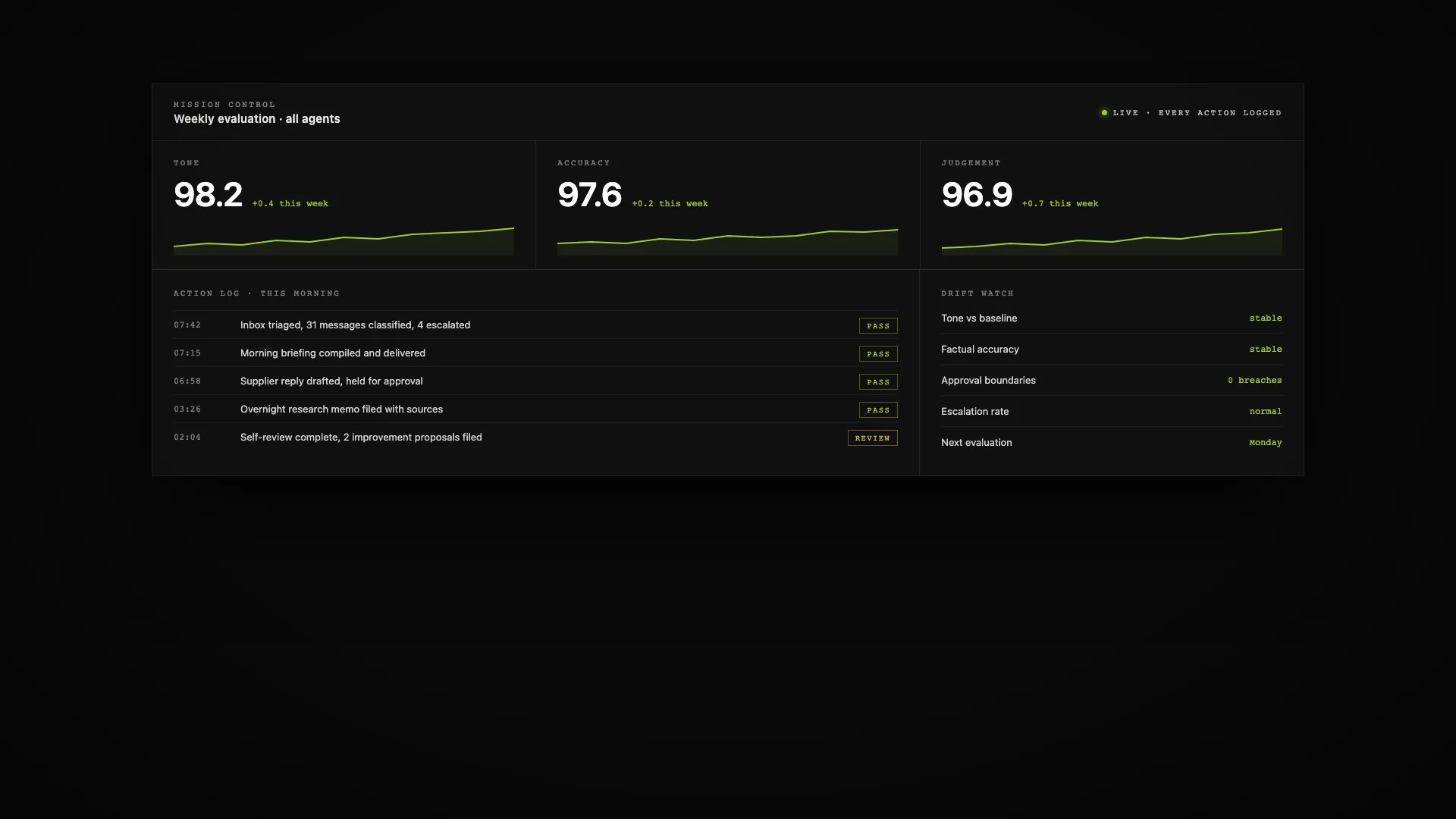
Your AI Employee works inside the tools you already use: email, calendar, Slack, your CRM. Nobody changes how they work. And when you want the full picture, mission control shows every action it has taken and why.

Every action is logged. We run weekly evaluations on tone, accuracy and judgement, so quality is measured rather than assumed. When something drifts, we see it before you do.
Connects to the tools your business already runs on, and to your own internal systems too. Nobody on your team has to log into a new tool for it to add value.
Gmail
and Google Workspace
Outlook
and Microsoft 365
Slack
and Teams
Calendar
Google and Outlook
HubSpot
Salesforce, Pipedrive
Notion
Drive, SharePoint
Twilio
voice and SMS
Your systems
we connect to almost anything
Pick your industry, mark the tasks that drain your week, and we will give you an honest estimate of recoverable hours and money.
The AI Employee runs in an environment you own: your cloud account or dedicated hardware in your office. Credentials never leave that boundary. We design every integration with read-only scopes by default and only escalate to write access for the specific actions you approve. Conversations are logged so you can audit any decision.
Tell us where your week is leaking hours and we will scope an AI Employee around it. Discovery calls are free and usually take thirty minutes.
Start a Project